SELLXON
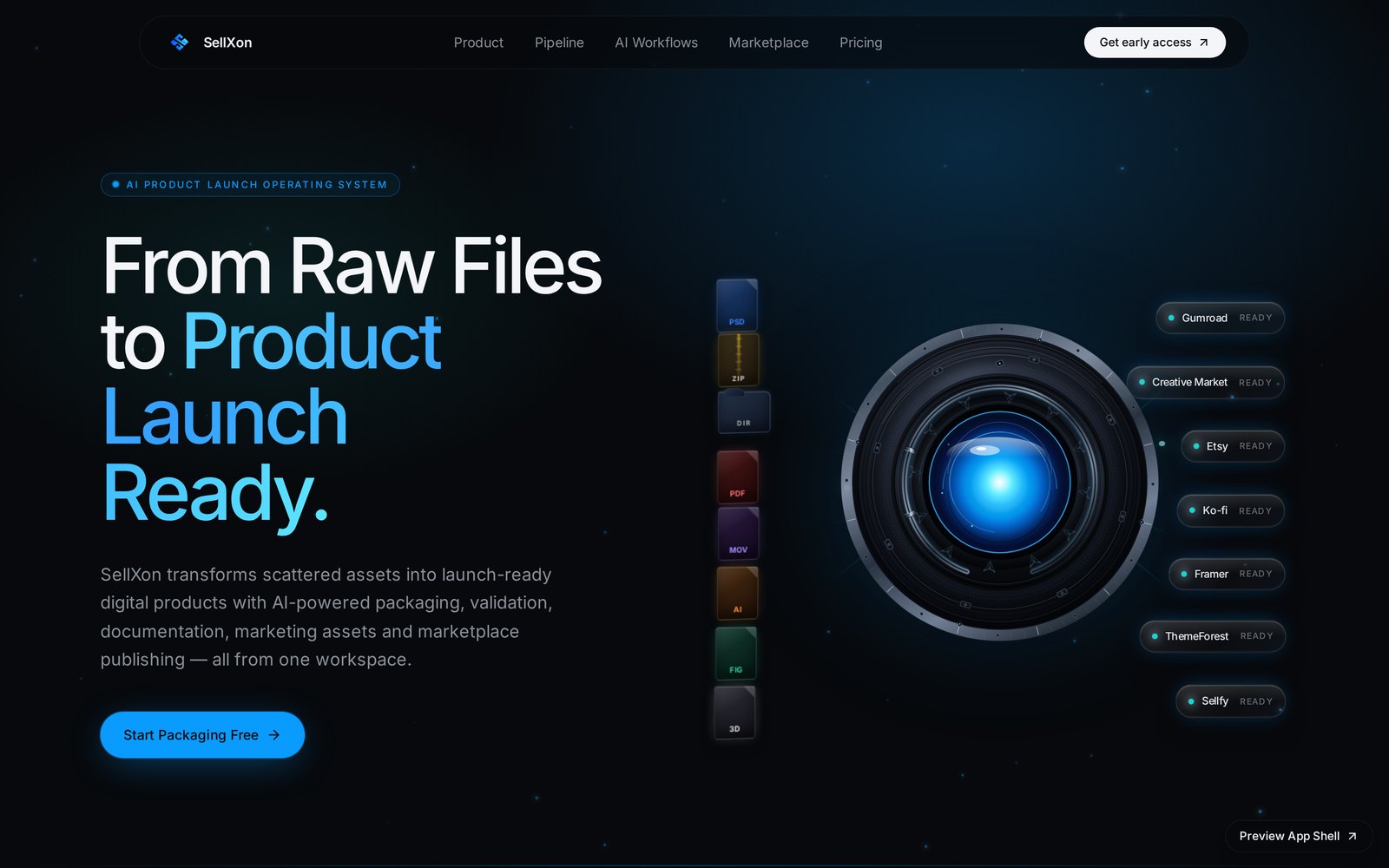
From a raw folder of files to a validated, launch-ready digital product.
SellXon turns one structured brief into product analysis, launch strategy, validated assets, a packaged bundle, marketplace listings and a scored readiness verdict — nine stages inside a single workspace, with the reasoning behind every output on screen.
How SellXon works
A single sequence from a blank workspace to a validated, launch-ready product.
Write the brief once
Twelve structured sections describe the product, the buyer and the pricing. Every later stage reads from it.
Analysis & strategy
The workspace returns classification, audience, positioning and pricing — each section confidence-scored and separately regenerable.
Validate the assets
Uploads are measured in the browser, checked against marketplace requirements and scored with blocking issues named.
Build the package
A seven-step build organises files, writes documentation and marketplace assets, compresses and re-verifies the bundle.
Prepare each storefront
Six marketplaces are scored and given a listing, price recommendation, asset plan and checklist.
Check launch readiness
Six pillars are scored, blockers listed and remaining work estimated. SellXon prepares the launch; it does not publish it.
One product, nine stages, nothing entered twice
Captured from the live private beta at sellxon.dev/app. Each stage reads what the previous stage saved.
A workspace per product
The beta opens on a plain-language map of the nine stages. Creating a product asks for a name, category, product type, audience, pricing model and current stage — the only time those answers are typed.
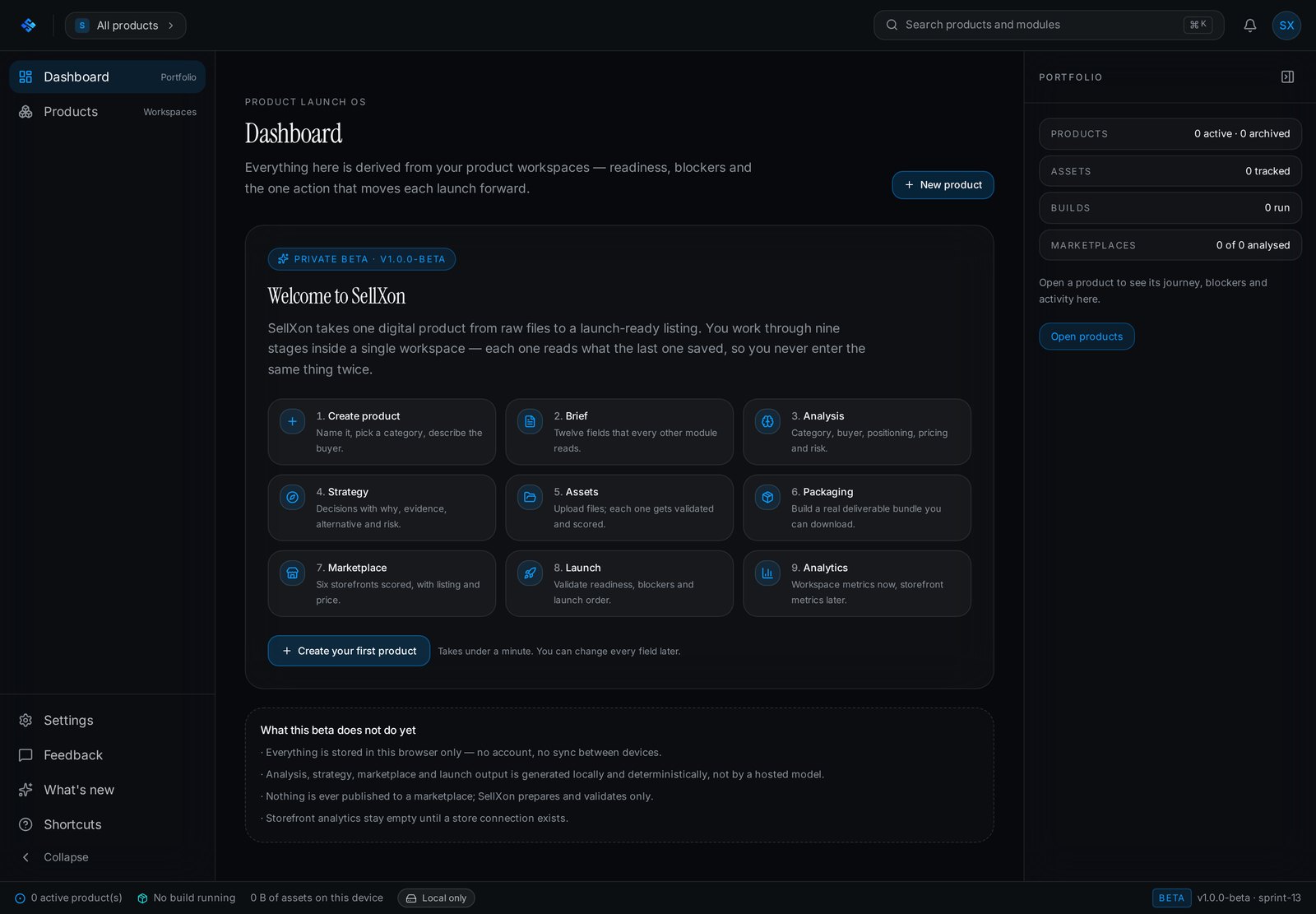
Welcome screen. It also states what the beta does not do yet: browser-only storage, on-device generation, and nothing published to a marketplace.
One source of truth
12 structured sections — problem, solution, customer, ICP, business model, pricing, competitors, UVP, features, status. Four are required, everything autosaves, and every later stage reads from here.
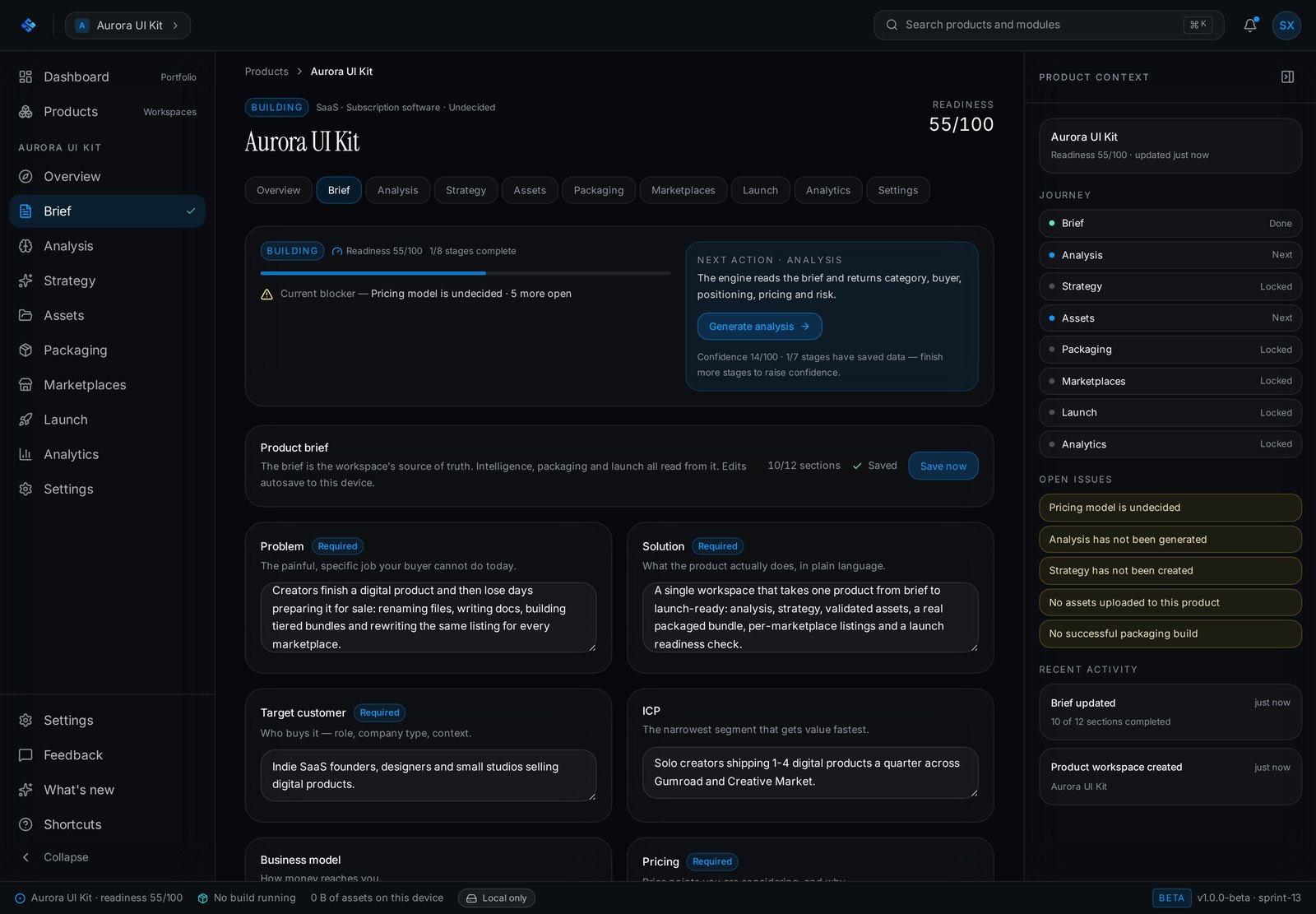
The brief tracks completeness and names exactly which required fields still block a reliable analysis run.
The product read back to you
The engine returns 14 sections — classification, buyer segments, ICP, positioning, pricing bands, risk — each with a confidence score and the signals it used. Every section copies, exports and regenerates on its own.
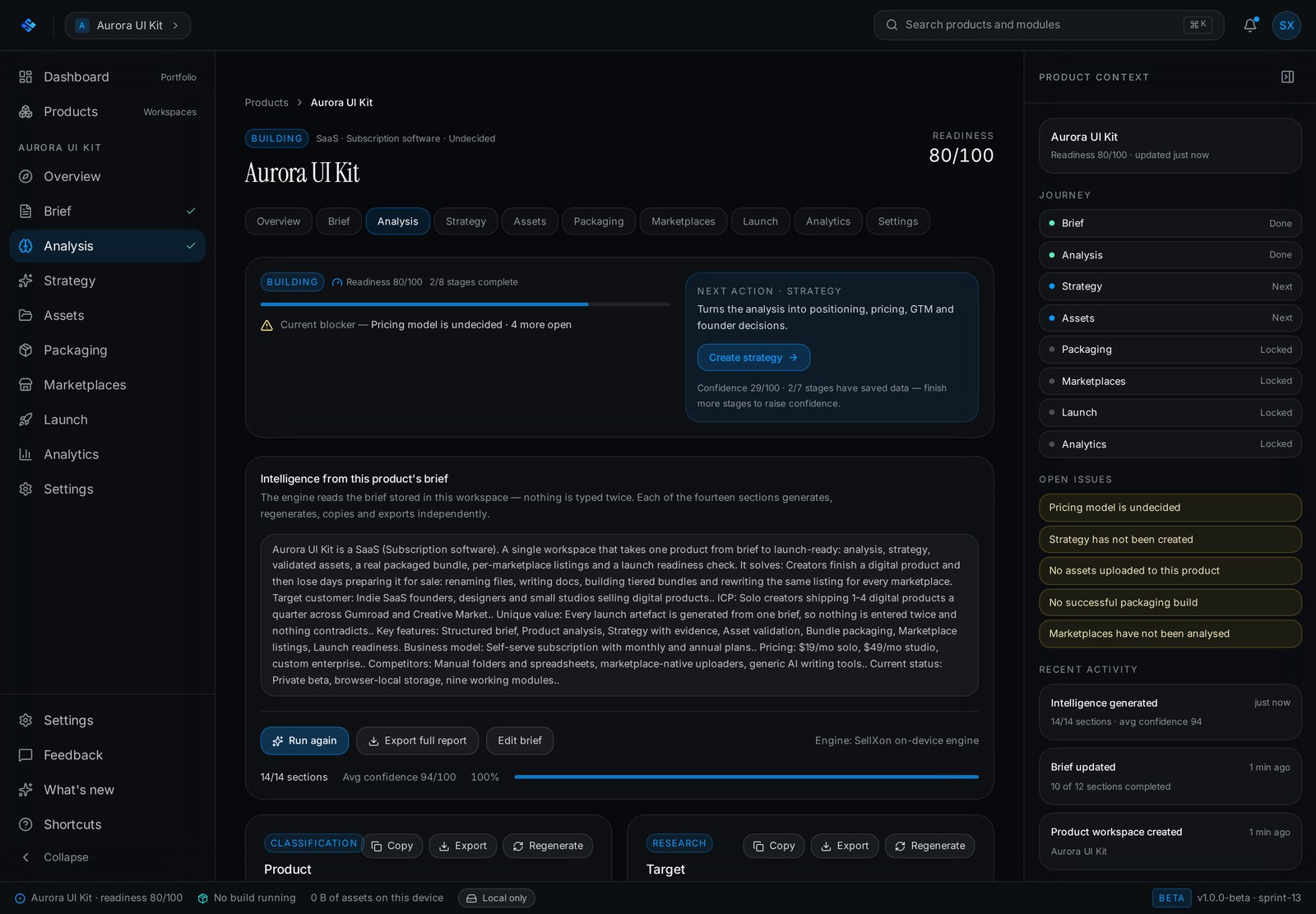
Confidence is shown per section rather than as a single headline number, so weak inputs stay visible.
Decisions, not paragraphs
7 strategy sections turn the analysis into an executive summary, positioning, personas, market view, pricing and a go-to-market plan — each recommendation paired with reasoning and an explicit "avoid".
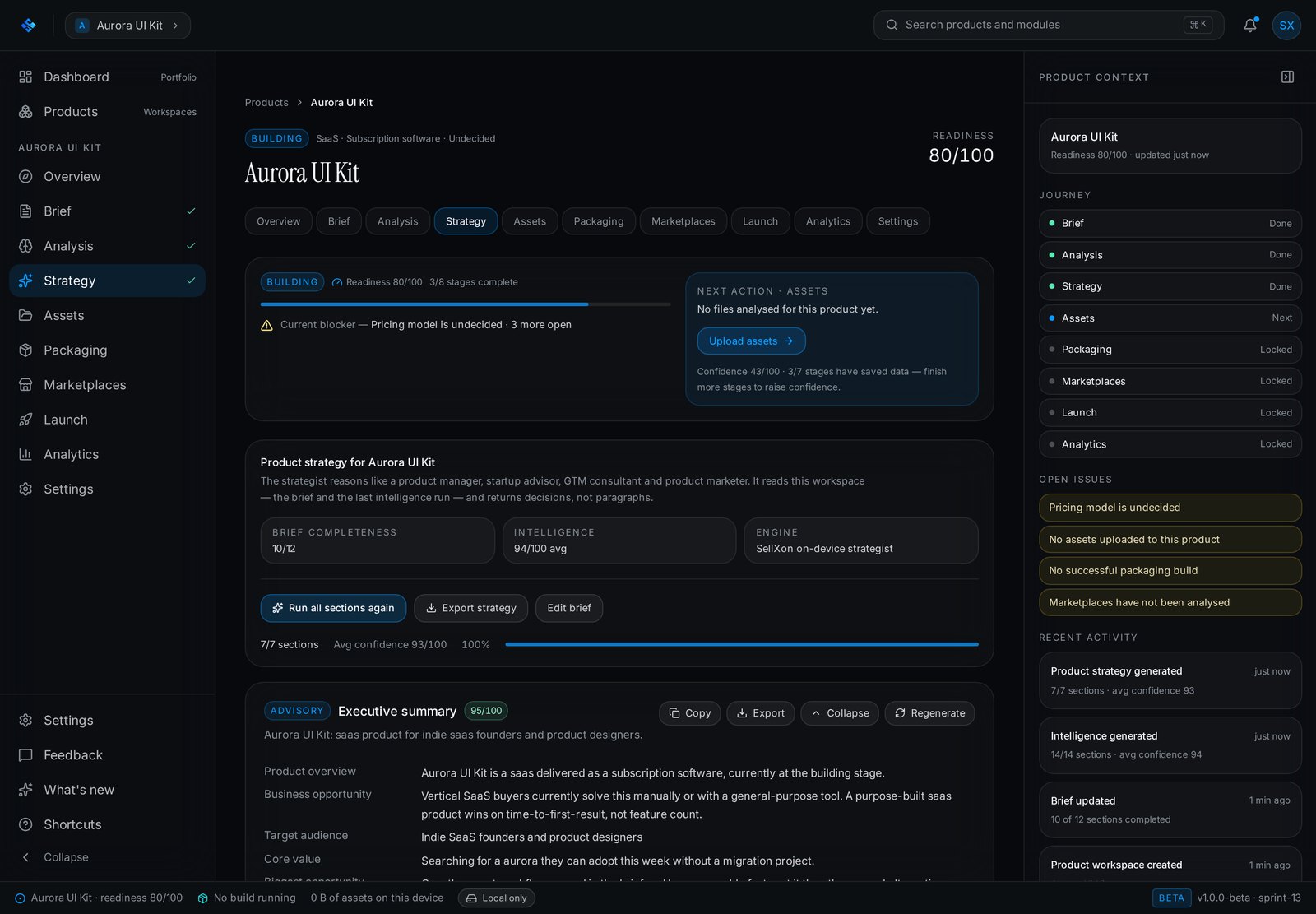
The strategist reads the brief and the last analysis run, then states the next action it wants from the founder.
Files measured, not guessed
Uploads are measured in the browser — format, dimensions, size — then validated against marketplace requirements and scored. Facts a browser cannot read are labelled unavailable instead of estimated.
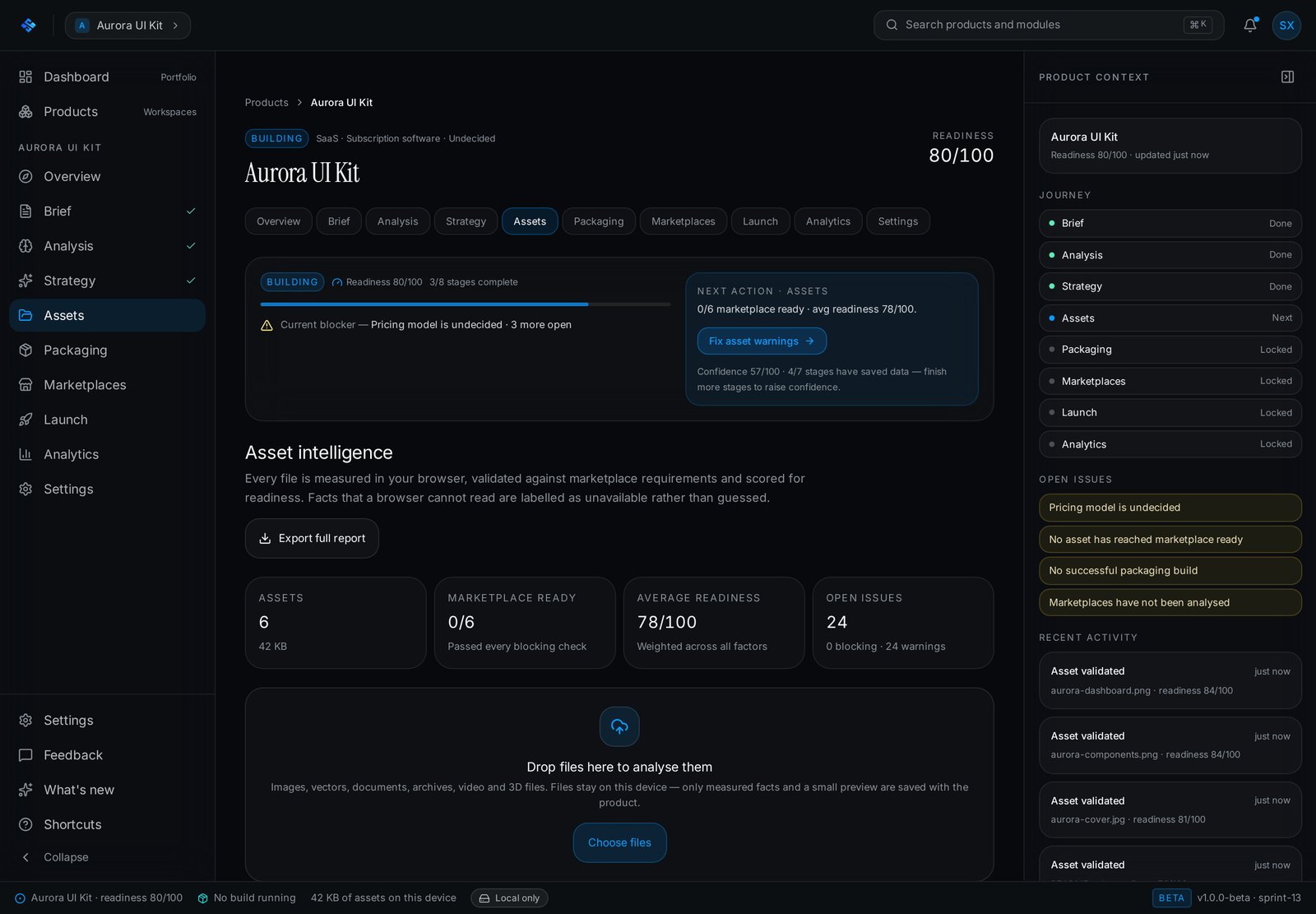
Each file carries a readiness score, blocking issues and warnings, and moves through a visible lifecycle from uploaded to published.
A real deliverable bundle
A build runs 7 steps: validate, organise, generate documentation, generate marketplace assets, compress, verify the bundle against each marketplace profile, then seal it.
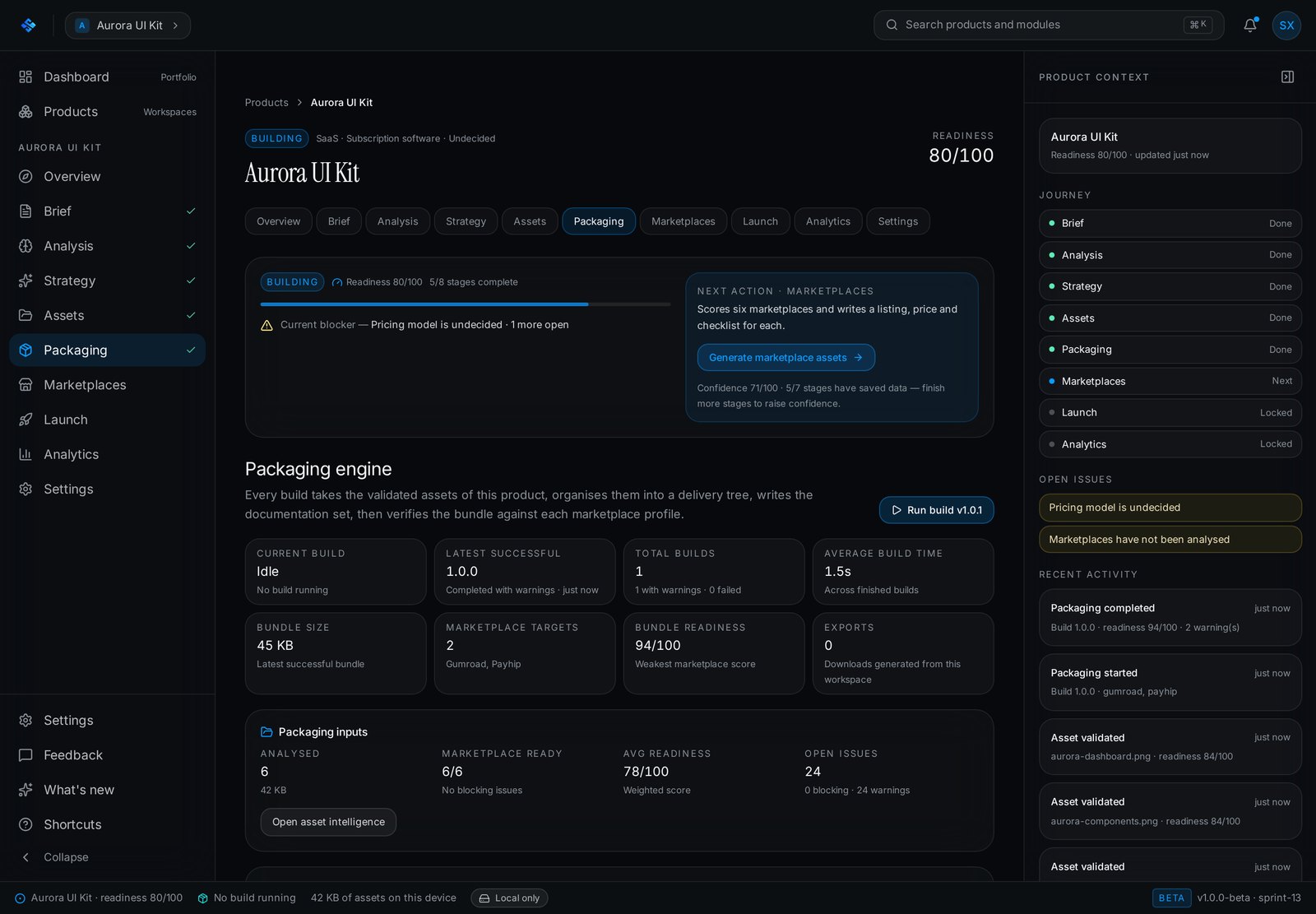
Marketplace profiles carry real constraints — Etsy's 20 MB per-file cap, Ko-fi's 1 GB ceiling, Creative Market's documentation requirements.
Six storefronts, scored separately
Gumroad, Etsy, Creative Market, Payhip, Ko-fi, Sellfy are each assessed on audience, discovery, competition, pricing bands and delivery rules, then given a listing, a price recommendation, an asset plan and a checklist.
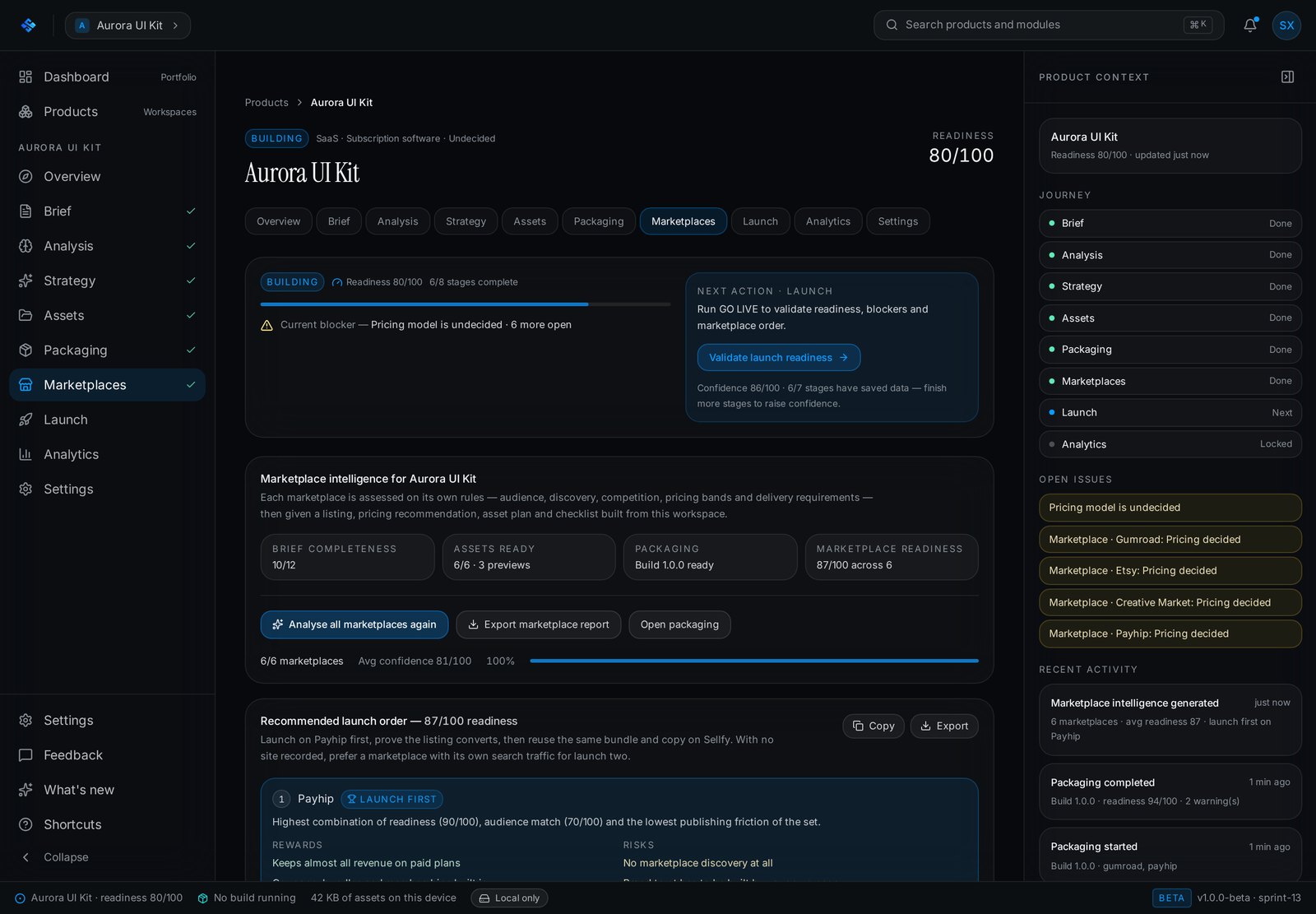
The module ends with a launch order and states the reward and the risk of each storefront rather than ranking them by score alone.
Readiness before publishing
The Launch Command Center scores 6 pillars — brief, analysis, strategy, assets, packaging, marketplaces — lists the blocking issues and estimates the work left. It validates only; it never publishes.
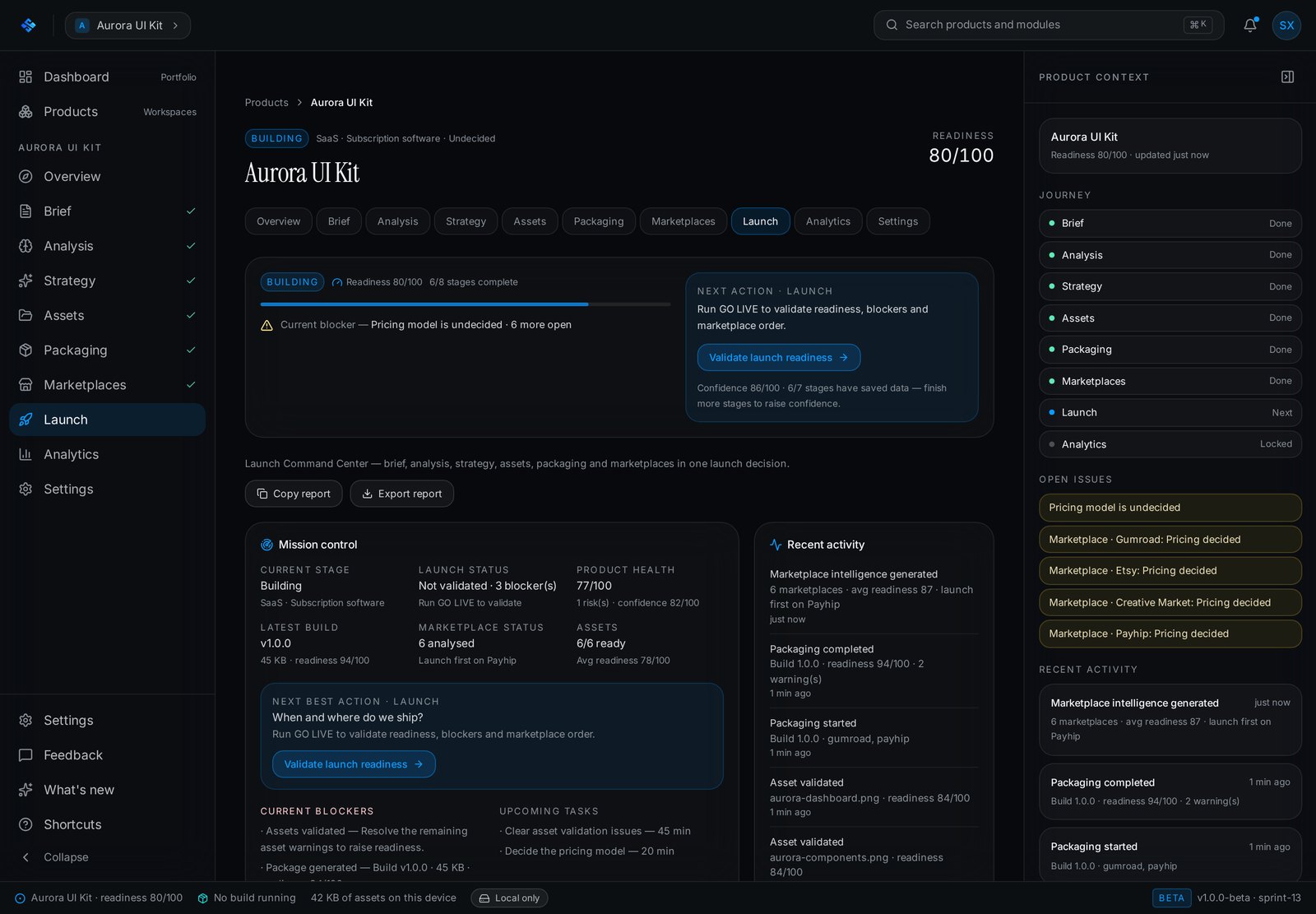
Every pillar shows the points earned and why, so a low score is traceable to a specific unfinished stage.
What the workspace can honestly report
Uploads, validation runs, marketplace readiness and a full activity log. Storefront metrics stay empty until a store connection exists, and the product says so.
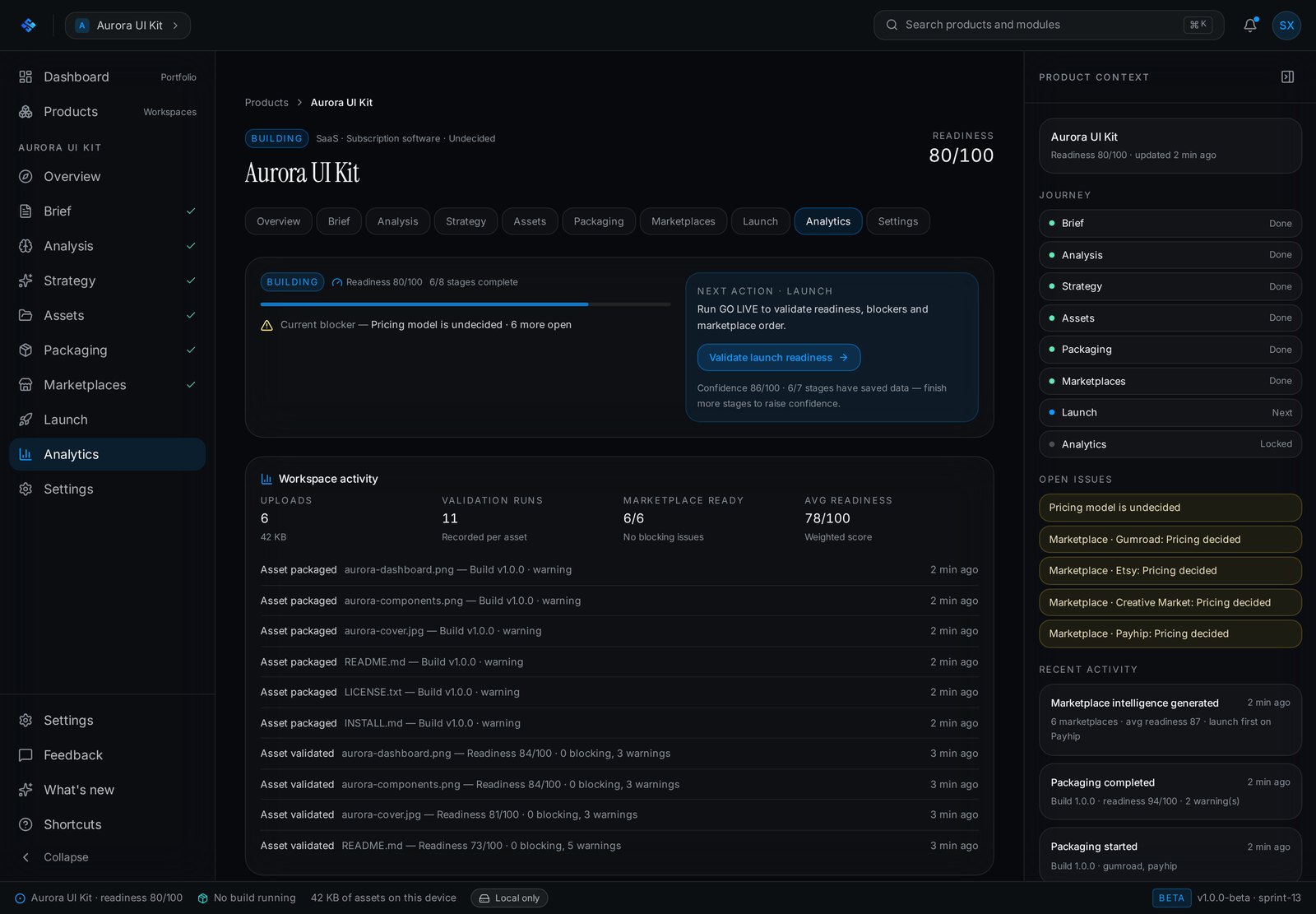
An empty state that refuses to invent numbers is a product decision, and it is visible in the shipped UI.
Inside SellXon
Six connected systems behind the nine-stage launch workspace.
Brief
The structured input every other module reads, with required fields and live completeness.
Analysis
Fourteen sections with per-section confidence, source signals and independent regeneration.
Strategy
Positioning, personas, pricing and go-to-market, each with reasoning and an explicit 'avoid'.
Workspace
Asset intelligence
Browser-measured file facts, marketplace validation, readiness scoring and a file lifecycle.
Packaging
Seven-step build: validate, organise, document, generate marketplace assets, compress, verify, seal.
Marketplace & launch
Six storefront profiles, listings and checklists, then a scored readiness verdict with blockers.
Explainable by default
Confidence, signals and reasoning are shown per section instead of one opaque score.
Honest about limits
The beta states in-product that data is browser-local and that nothing is published for you.
One continuous workspace
Nine modules share one product record, so no answer is ever typed twice.
Stop doing the same launch work six different times
Every storefront asks for different files, copy, previews and pricing. The work is not hard — it is repetitive, and it drifts out of sync.
- The same product described again in every tool
- Positioning decided in a document nobody re-reads
- File requirements discovered after an upload is rejected
- README, licence and install guide written by hand, per bundle
- Listing copy rewritten for each storefront
- Launch readiness judged by feel
- One brief every later stage reads from
- Analysis and strategy generated from that brief, with confidence per section
- Files validated against each marketplace before packaging
- Documentation set written into the build
- A listing, price and checklist per storefront
- A scored readiness verdict with named blockers
SellXon prepares and validates a launch. It does not publish to marketplaces, and the beta makes that boundary explicit inside the product.
Built for people who launch their own products
The beta is aimed at creators who own the whole launch — the brief, the files, the copy and the storefront decisions.
Independent product founders
Shipping a first paid digital product without a marketing team behind it.
Designers and template sellers
Publishing UI kits, templates and asset packs across several storefronts.
Small studios
Running a catalogue where every release has to meet the same standard.
The application, as it ships today
Unretouched captures from the live beta. The interface is real; the product records inside it are a sample workspace.
Portfolio dashboard
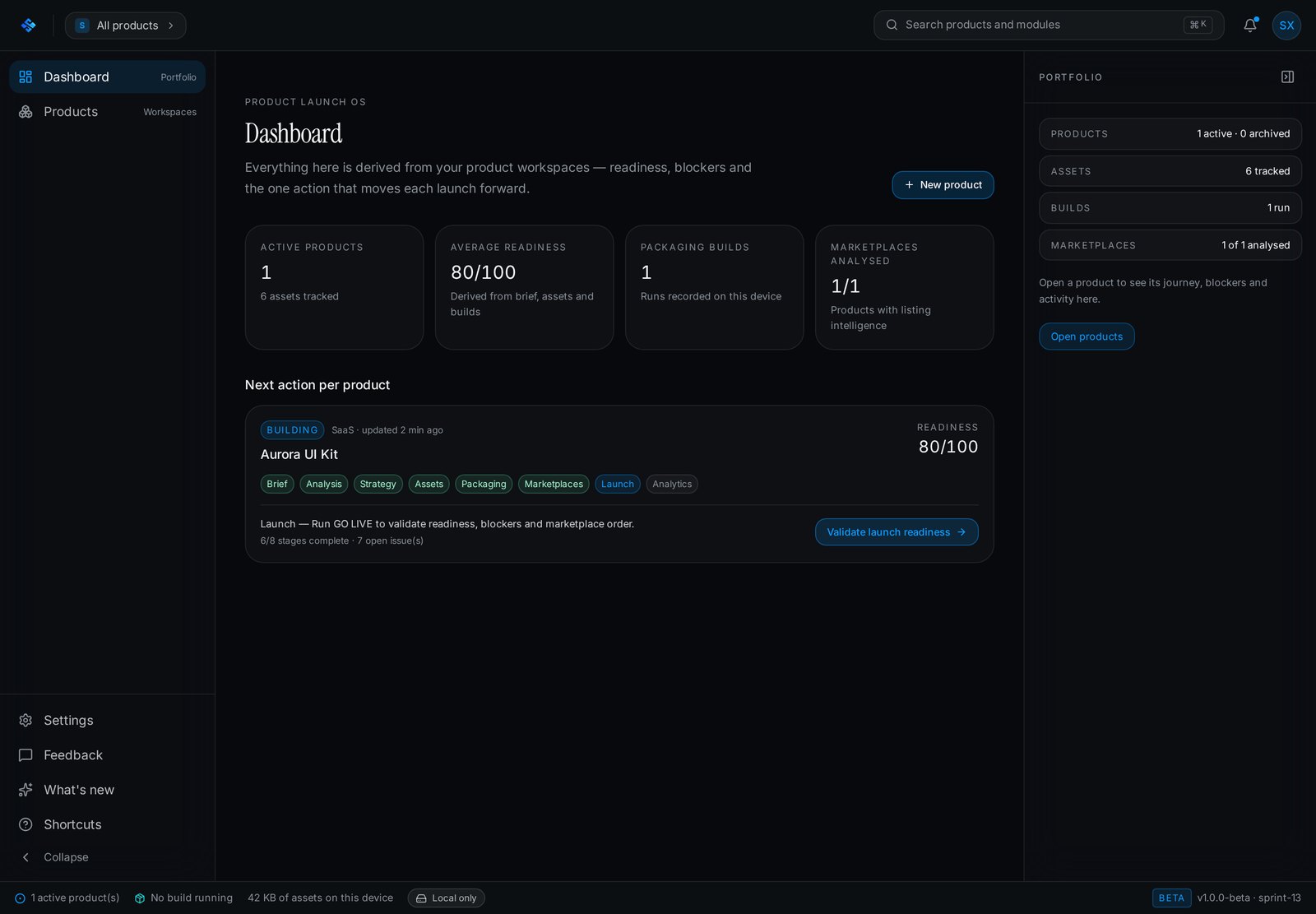
Every product with its readiness score, blockers and the single next action that moves it forward.
Product overview
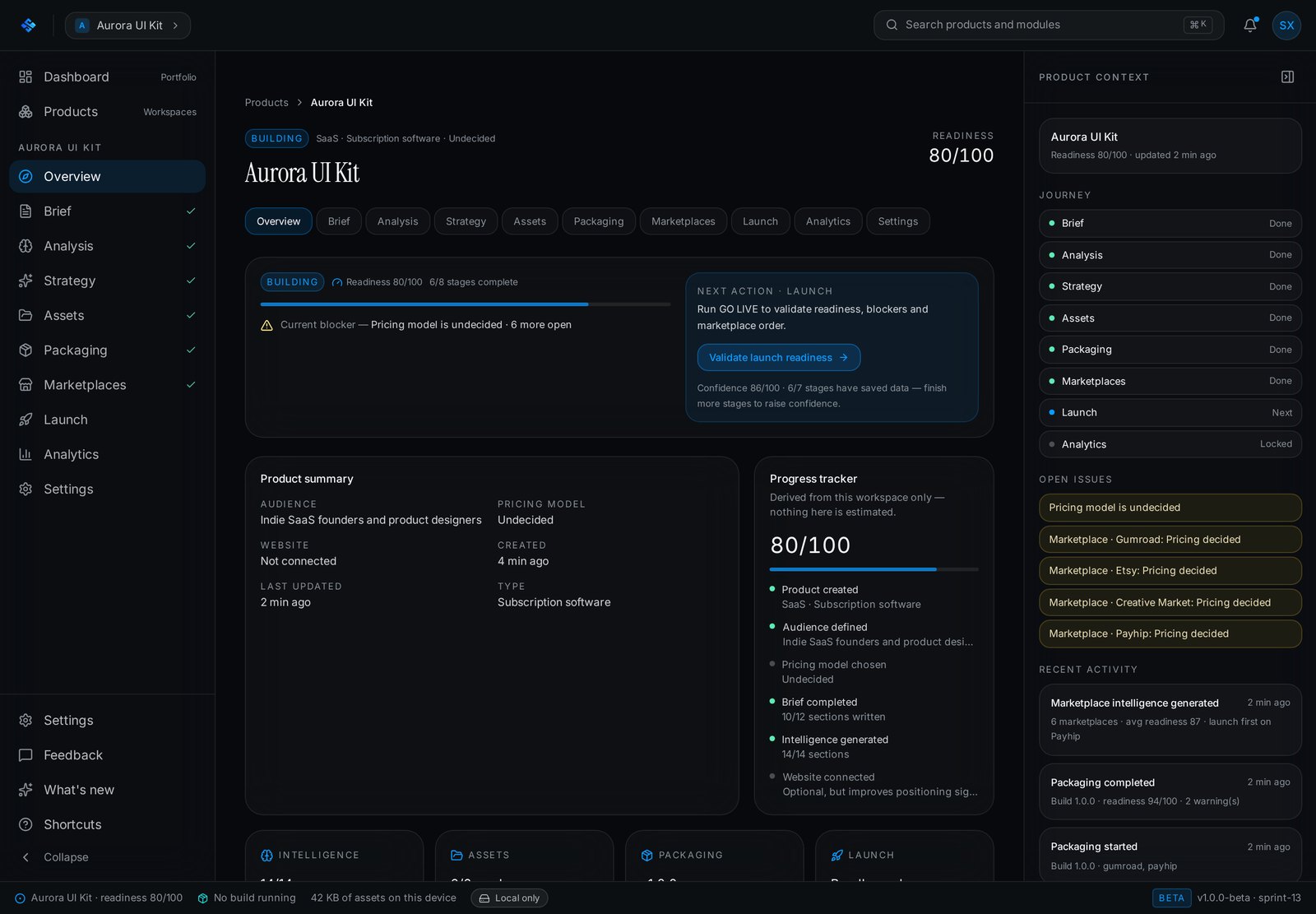
The journey rail shows which stages are done, next or locked, alongside open issues and recent activity.
Analysis engine
Fourteen sections, each with its own confidence score, signals, copy and export.
Strategy engine
Positioning, differentiators and an explicit list of positions to avoid.
Asset intelligence
Measured file facts, blocking issues, warnings and a per-file readiness lifecycle.
Packaging engine
Build history, bundle size, marketplace targets and a seven-step build pipeline.
Marketplace intelligence
Six storefronts scored, with listing, pricing, checklist and a recommended order.
Launch Command Center
Six readiness pillars, blocking issues and the remaining task list before shipping.
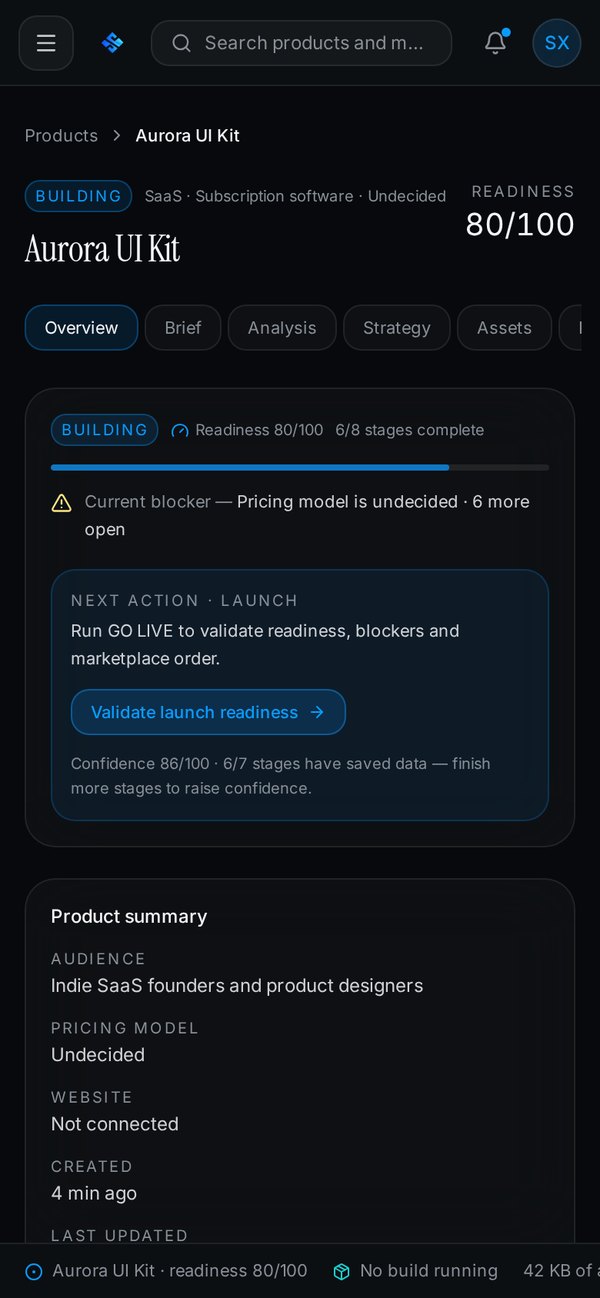
A dense workspace that still holds up small
The workspace is a nine-module product surface, so the mobile build collapses the navigation rail, stacks the module tabs into a scrollable row and keeps the readiness score, blocker and next action pinned to the top of every screen.
Designed and built end to end
SellXon is a Trust Me Studio product, founder-built across product, design, AI workflow and implementation.
Product strategy
Defining a launch operating system rather than another file organiser, and drawing the line at preparing launches instead of publishing them.
UX architecture
Nine modules sequenced so each one reads the previous one's output, with readiness, blockers and next action present on every screen.
AI workflow design
A structured brief as the single input, sectioned generation with per-section confidence, and regeneration scoped to one section at a time.
Validation logic
Marketplace profiles with real limits and required files, asset scoring, and a build that re-verifies the bundle after compression.
Interface and copy
The dark product surface, the density of the workspace, and the in-product language — including the honest beta limitations panel.
Frontend and shipping
Marketing site and application shell built, iterated across sprints and deployed to sellxon.dev.
Private beta, v1.0.0-beta. Workspaces are stored in the browser, analysis and strategy output is generated on-device and deterministically rather than by a hosted model, and nothing is published to a marketplace. Accounts, sync and storefront connections are the next chapter.
See SellXon running
The marketing site explains the product. The app shell opens the private beta workspace — create a product and walk all nine stages yourself.